Project background
- Engine: Unity
- Platform: PC
- Genre: Co-oP, Arcade
- Group size: 1
This is a feature i designed and developed as part of a coding and programming workflow course provided at my study. The focus of the course was learning how to work with an existing codebase and implement a feature that adheres to the codebase. A secondary focus of the course was developing that feature in such a way that it could be easily expanded upon or changed in the future by others.
Concept
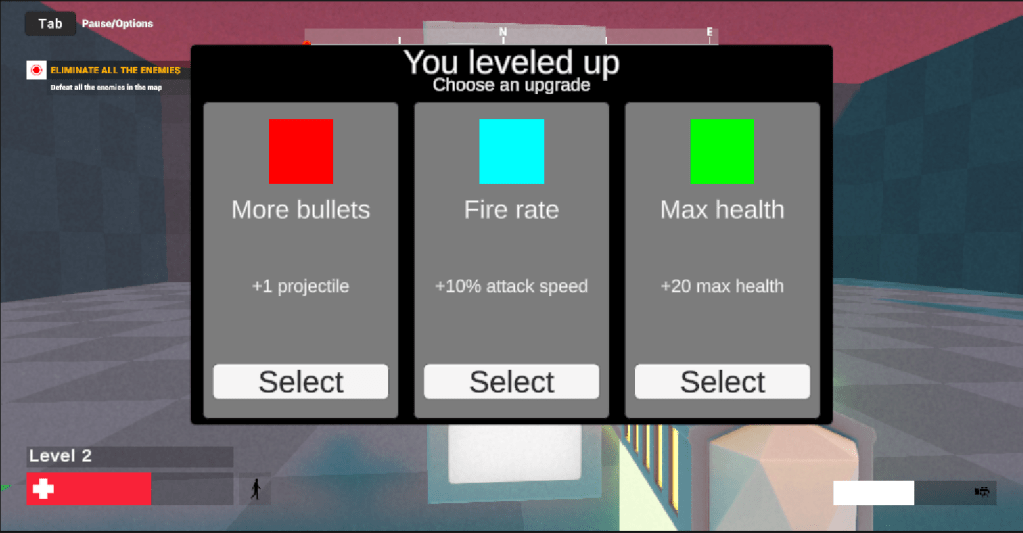
The Feature i developed is a Roguelike leveling system that generates random updrades that the player chooses from. These upgrades are then applied to the player and the player has to level up again to get a new selection of upgrades.
Planning
The start of the development process i used for this feature was researching the codebase to understand how the game worked and how to integrate my feature into it. During this process i also looked into potential solutions to potential challenges i might encounter, part of that preparation was documenting where any processes of potential interest where located for future reference.
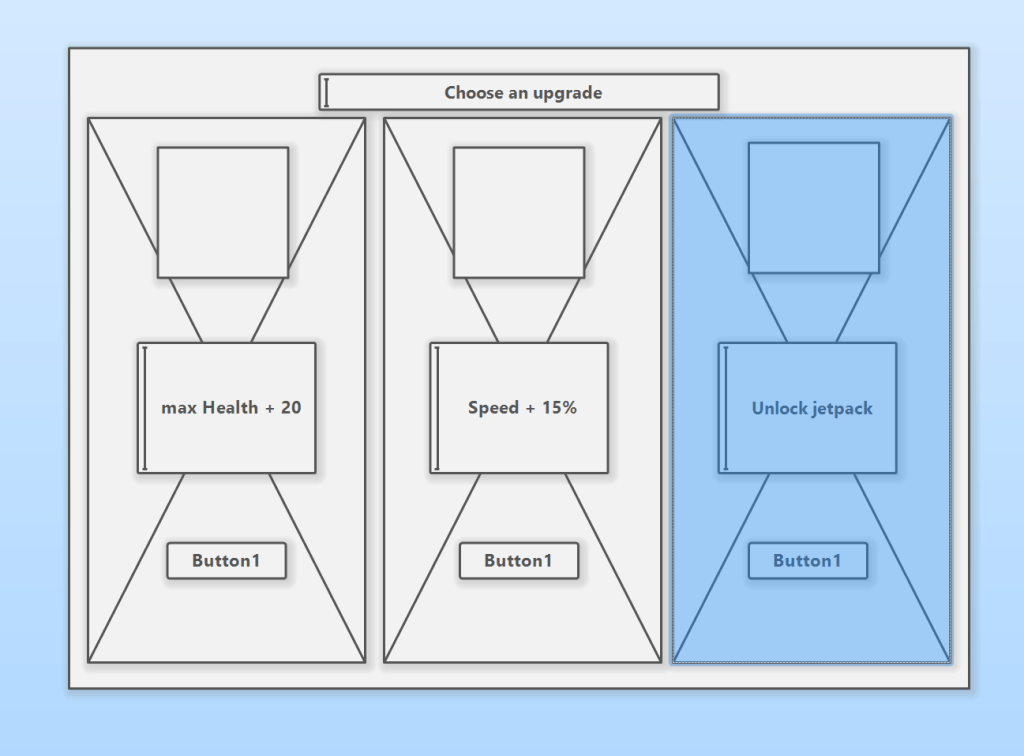
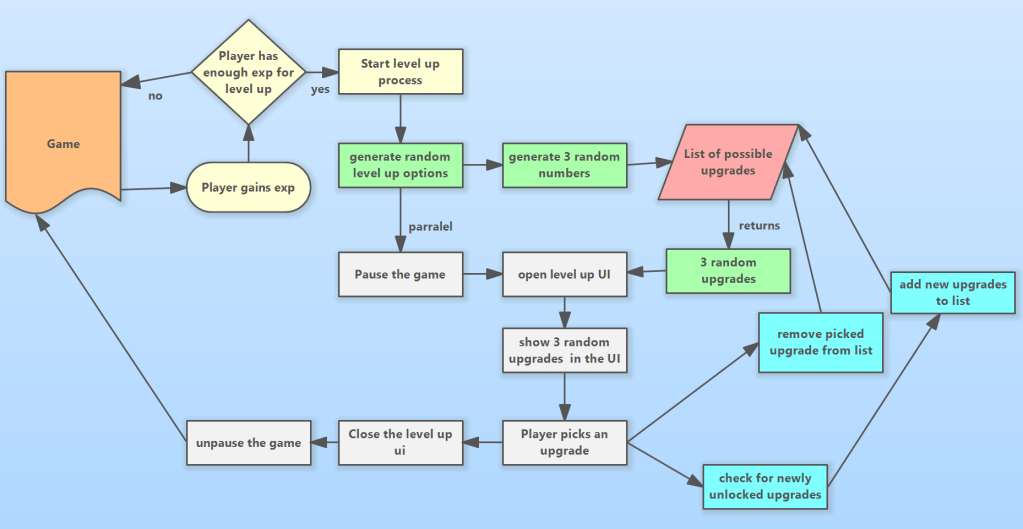
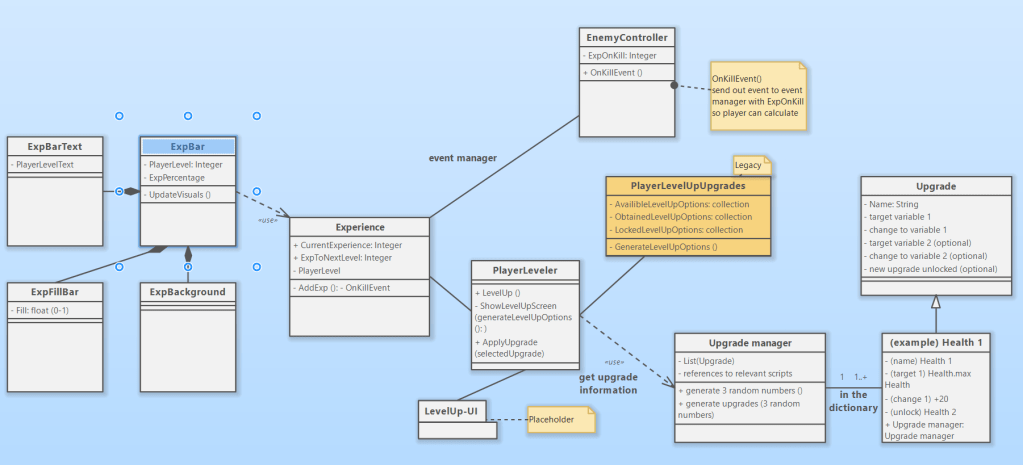
After completing the research i made a number of diagrams and sketches to outline the fuctionality and the visuals of all the elements needed for the feature. For more details on this process see the technical design document attached below.
The feature
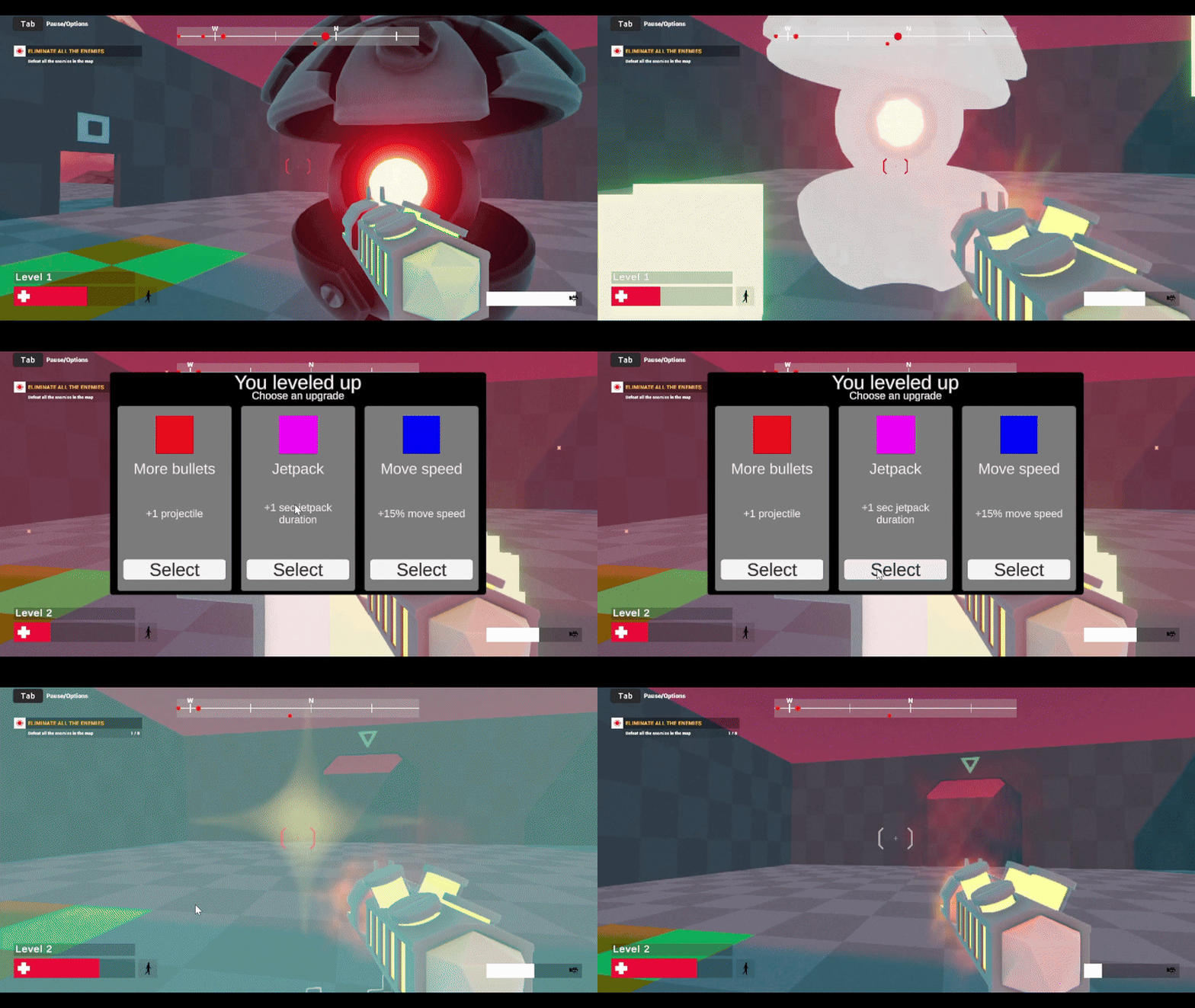
Experience system
as part of this feature i implemented an experience system using an observer pattern based event system. this system provided experience on kill to the player depending on what enemy was killed. a script on the player then automatically triggers the level up if enough exp is obtained. the UI also displays progress toward the next level and the current player level.
Upgrade generation
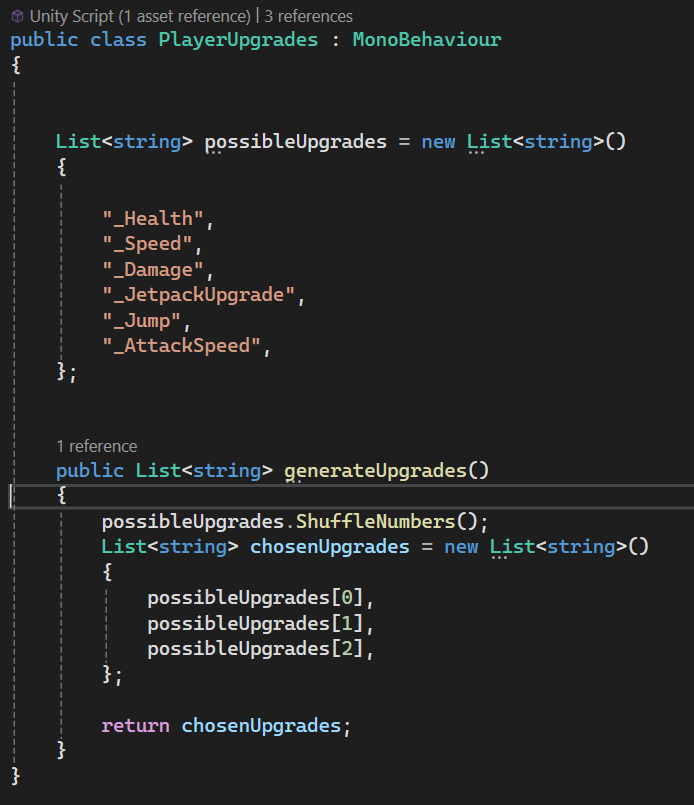
The feature generates random upgrades from the available selection. When the player gets a level up i needed to have three random unique upgrades. I achieved the randomization by shuffling the list of upgrades and then selecting the first three in the list. these three upgrades are then shown in the UI. This prevents duplicates because each upgrade only exists once in the list and reduces the number of complex actions the computer has to perfrom.
Generated UI
One of the issues i had during development is that i needed the level up UI to display the upgrades but i would need far too many references to be able to change everything. My solution was to use a ‘grid layout group’ to instanciate prefab UI panels that each have their own variables and set adjust those on instanciation removing the need to keep all of those refernces hanging around.
Skills and technologies
- Unity
- C#
- Coding
- Learning a codebase
- Following a codebase
- Integrating a feature
- Expandable development
- UML
- OOP
- Software design patterns
- UI design
- UI development
Resources used
This project was built into the publically available Project file provided by the Unity Learn website – FPS microgame tutorial as seen below:
 Kamiel Maes